Features

Your AI Studio

From beginner to expert, Msty Studio makes AI easy to start and powerful to grow with, bringing models, tools, context, and automation together in one place.

Features hero preview
Model Hub

One hub for local + online models

Bring local inference engines and hosted providers into a single, organized model hub so teams can swap, compare, and route requests with confidence.

Local inference engines

Support for MLX (Apple), llama.cpp, and Ollama right out of the box.

Hosted model access

Connect online providers alongside local models for flexible coverage.

Model hub
Chats

Chat with local and online models with no vendor lock-in

Bring local models and hosted APIs together in one workspace. Compare responses, move between providers, and keep your workflows portable.

Local + online in one thread

Route prompts to local inference or hosted models without changing your workflow.

Provider flexibility

Swap models for cost, quality, or privacy while keeping prompts and settings intact.

Model switcher
Split Chats

Split Chats to compare answers instantly

Run multiple models side by side, compare responses, and pick the best direction without losing context.

Side-by-side comparisons

See differences in tone, depth, and accuracy at a glance.

Branch and explore

Test multiple prompts or model settings in parallel.

Split Chat view
Knowledge Stacks

Knowledge Stacks (RAG done right)

Ground answers in your documents, notes, and files so responses are accurate, current, and explainable.

Source-aware answers

Bring in the right references at the right moment.

Flexible collections

Organize knowledge by project, client, or workflow.

Reliable retrieval

Keep responses aligned with the data you trust.

Knowledge stack
Toolbox

Toolbox with MCP tools + dynamic API

Connect live context to your assistants with MCP tools, dynamic APIs, and real-time data.

MCP tools

Plug in external tools so assistants can act, not just respond.

Dynamic API calls

Inject live context into conversations for up-to-date results.

Toolbox + MCP
Turnstiles

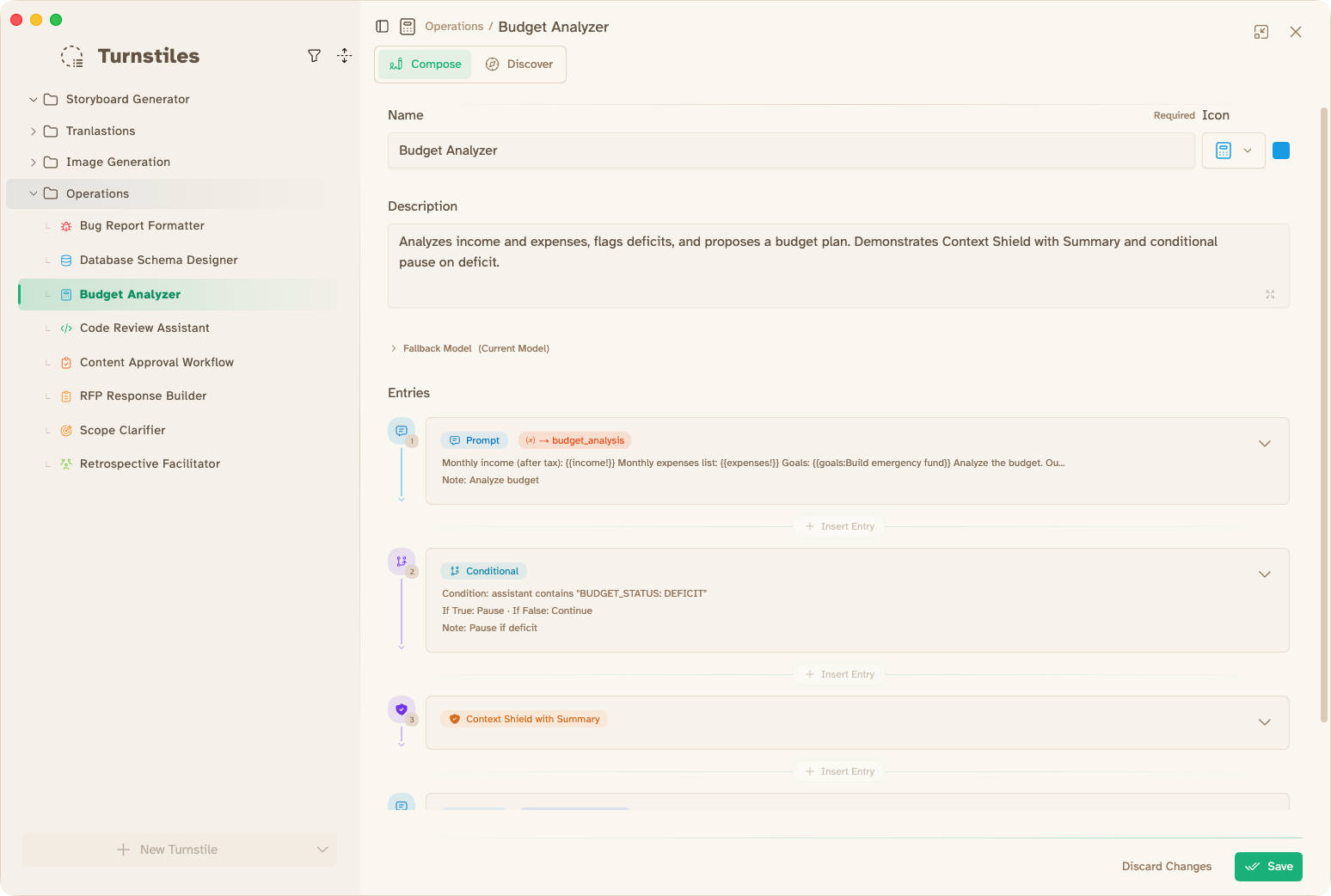
Turnstiles to automate

Build multi-step flows that chain prompts, tools, and approvals into repeatable automation.

Composable workflows

Mix tools, data, and personas into one seamless flow.

Repeatable runs

Turn a one-off process into a reliable, reusable flow.

Turnstile flow
Personas

Create persona assistants

Design assistants with a specific role, voice, and tool access so every chat starts on-brand and on-task.

Role + tone presets

Define tone, expertise, and output style so responses stay consistent.

Tool permissions

Choose which tools and knowledge sources a persona can use.

Reusable templates

Save personas for teams, projects, and repeatable work.

Persona builder
Persona Conversations

Persona-first chats

Start with the assistant you need. Persona-first chats keep context, tone, and tools aligned before the first message.

Preloaded context

Personas bring the right instructions, constraints, and memory up front.

Clean handoffs

Move between personas without rewriting the prompt or losing focus.

Reliable outputs

Same persona, same guardrails. Results stay consistent across sessions.

Persona first chat
Shadow Persona

Your conversation assistant

Run a secondary assistant alongside the main conversation to verify claims, dig deeper, or synthesis multiple split-chats.

Parallel research

Shadow Persona reviews the conversation and gathers supporting context.

Verification workflow

Flag inconsistencies and suggest evidence or citations to validate outputs.

Synthesize results

Analyze answers from multiple models and synthesize an optimized response.

Shadow Persona panel
Prompt Studio

Build, test, and refine the perfect prompts

Prompt engineering with AI-assistance so that you get repeatable, predictable results.

Structured prompt building

Add variables, examples, and constraints without losing clarity.

Rapid iterations

Tune prompts quickly and see how models respond.

Align your teams

Save and share prompts so teams work from the same blueprint.

Prompt studio
Workbench

Features built to do real work

Explore several more features that help you get the most out of AI.

Forge Mode

Polish, rewrite, and format results in a focused editor.

Environments

Manage variables and contexts safely across projects.

Workspace and Project management

Keep chats, prompts, and assets organized by initiative.

Workflows in action

Get Started with Msty Studio

Msty Studio Desktop

Full-featured desktop application

✨ Get started for free

Msty Studio Web

Browser-based access for subscribers

View pricing →

Subscription required