
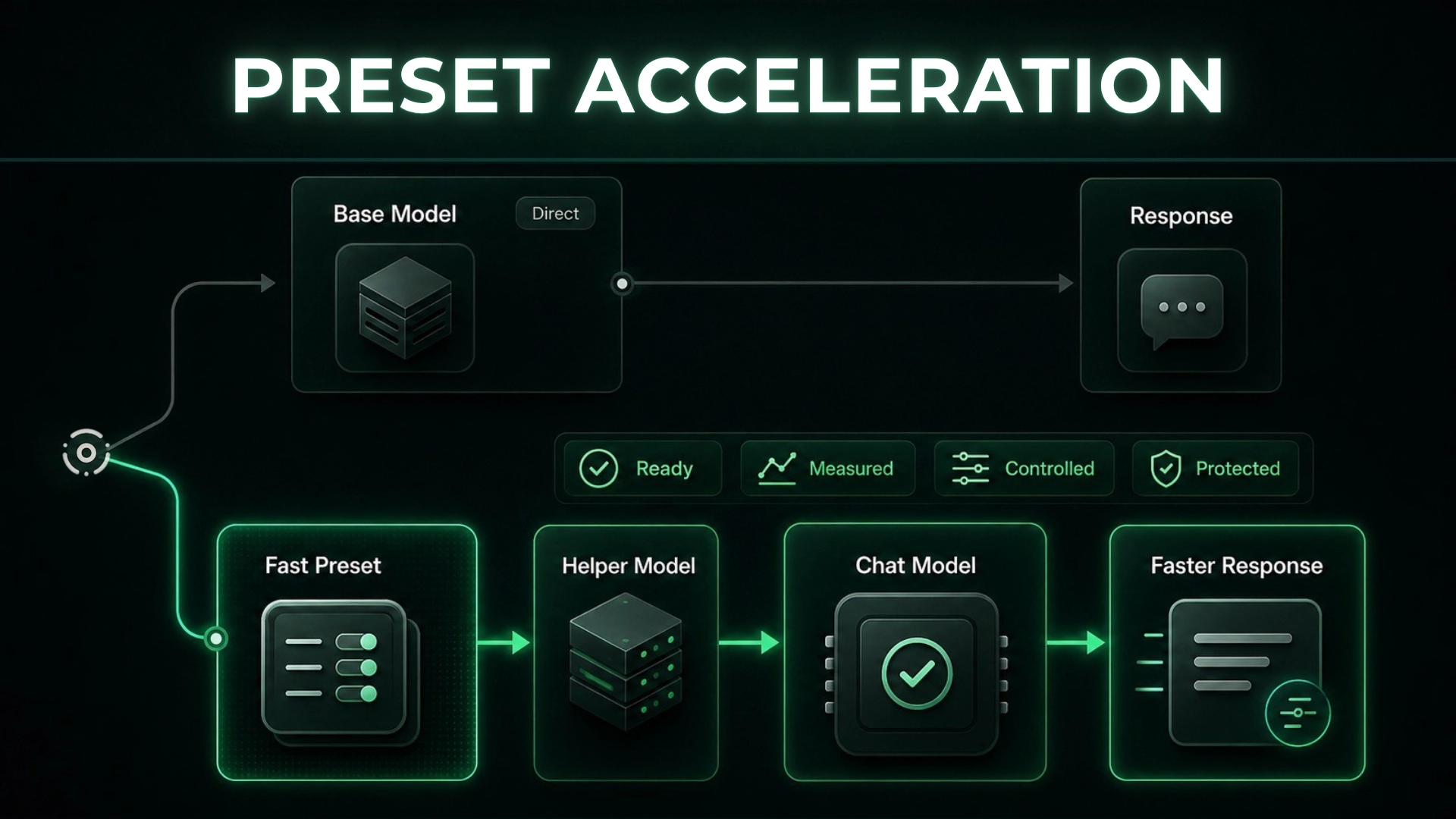
Slow responses make capable local models harder to use at pace.
When these models are part of your daily work, every delay adds waiting time and creates pressure to choose between larger models that may respond more slowly and smaller models that may not fit the task.
We released preset acceleration in Msty Nexus to make supported local workflows faster without separating speed from model capability. A preset is a saved model setup, and Nexus can accelerate it while keeping the speedup visible, measurable, and controlled.
Preset acceleration can use speculative decoding, where a smaller helper model suggests likely next words and the main chat model checks those suggestions before the response is shown. The helper speeds up the process, but the chat model still decides what appears.
The Problem: Slow Local Workflows
Local models give you more control over privacy, cost, and where the work runs, but they still need to respond quickly enough for everyday use.
Without managed acceleration, each setup has to balance:
- model quality
- response speed
- device limits
- setup complexity
- team adoption
Stronger models may fit the task better, while smaller models tend to respond faster. That choice gets harder to manage when different types of work need different balances of speed and capability.
Our Solution: Preset-Level Speedup
We built preset acceleration to move that choice into a preset you can name, reuse, and measure.
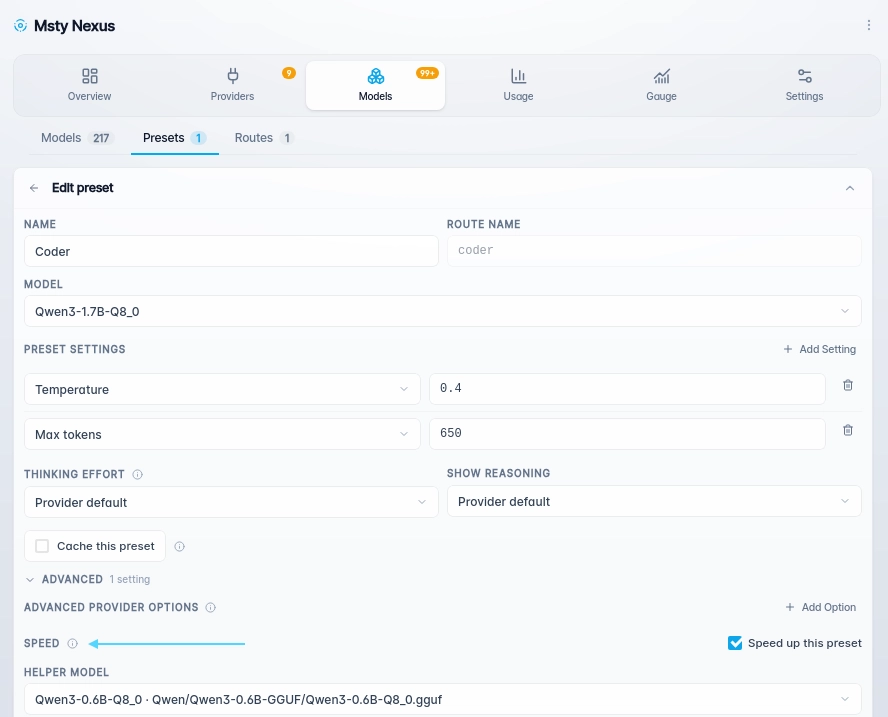
A preset can include the chat model, response settings, and speedup settings. You can keep a direct preset for running the model normally, a fast preset for high-volume work, and a balanced preset for workflows that need both speed and stronger output.
Nexus applies acceleration only through the accelerated preset you choose. Choosing the base model still runs it without a helper model.
How Preset Acceleration Works
When you choose an accelerated preset, Nexus uses the saved setup for that preset instead of changing the base model for every use.
When a helper model is used, it drafts likely next words for the chat model to review, helping the response move faster when those drafts are accepted while letting the chat model continue normally when they are not useful. The helper supports the response, but the chat model still decides what is shown.
Preset acceleration is available for supported local llama.cpp models and supported MLX models managed by Nexus. Certain MLX models can also use built-in acceleration without a separate helper model.
How Nexus Keeps Acceleration Controlled
Speed should not come at the cost of control.
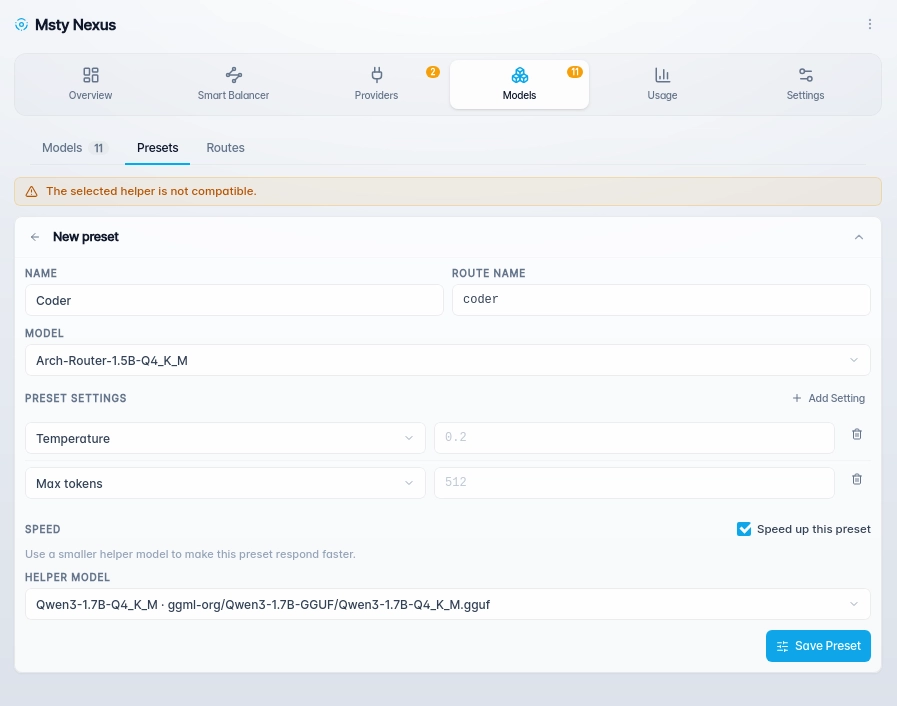
Before Nexus accepts an accelerated preset, it checks that the chat model and helper model can work together, that they are not the same model, and that the required local files are available. When enough model information is available, Nexus also checks compatibility.
If the setup is not valid, Nexus does not save it as an accelerated preset, keeping broken speedup settings out of active workflows.
Nexus shows safe details like model IDs, preset names, status, and warnings while keeping local file paths, prompts, responses, headers, and credentials out of responses from Nexus.
Why Preset Acceleration Is Easier to Manage
Because acceleration is tied to presets, you can improve speed without losing visibility into how it is being used.
You can manage acceleration with:
- faster supported responses
- clear speedup choices
- unchanged base models
- preset-level control
- validation before use
- protected sensitive details
- usage visibility
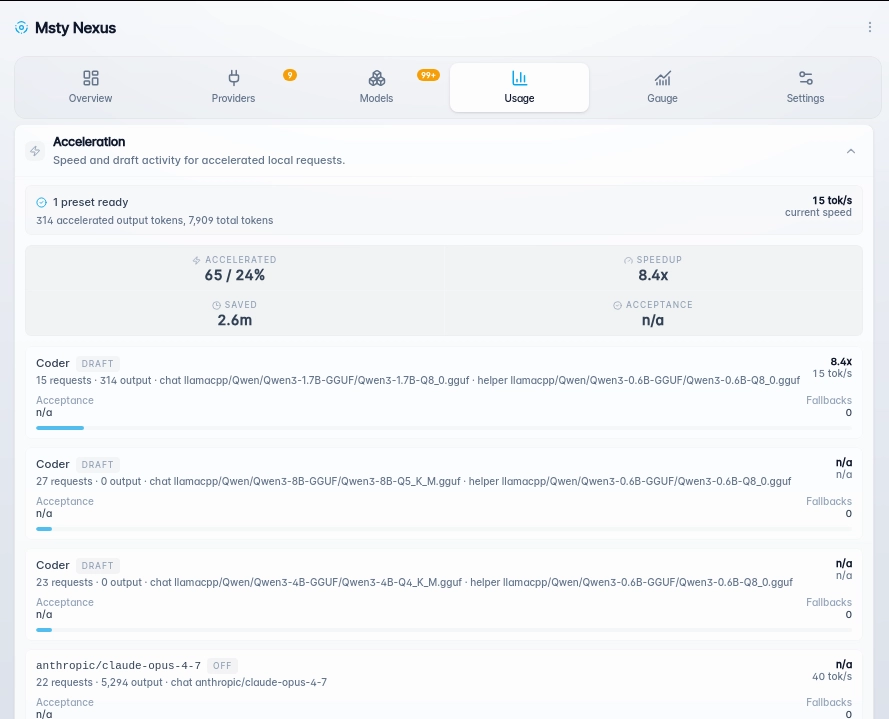
Nexus reports safe usage signals such as accelerated requests, direct requests, fallback counts, output speed, and estimated time saved when enough baseline data is available. When the local runtime provides it, Nexus can also show how often the chat model accepts the helper model’s suggestions.
Controlled Speedup for Local Models
We released preset acceleration because faster local responses should not require hidden model behavior or unclear controls.
With Nexus, acceleration stays tied to the preset you choose. The base model stays unchanged, sensitive details stay protected, and usage signals show where acceleration is helping.
Preset acceleration reduces wait time while keeping local model workflows clear to manage and measure.
Try Preset in Msty Nexus from Models –> Presets –> Add new preset