
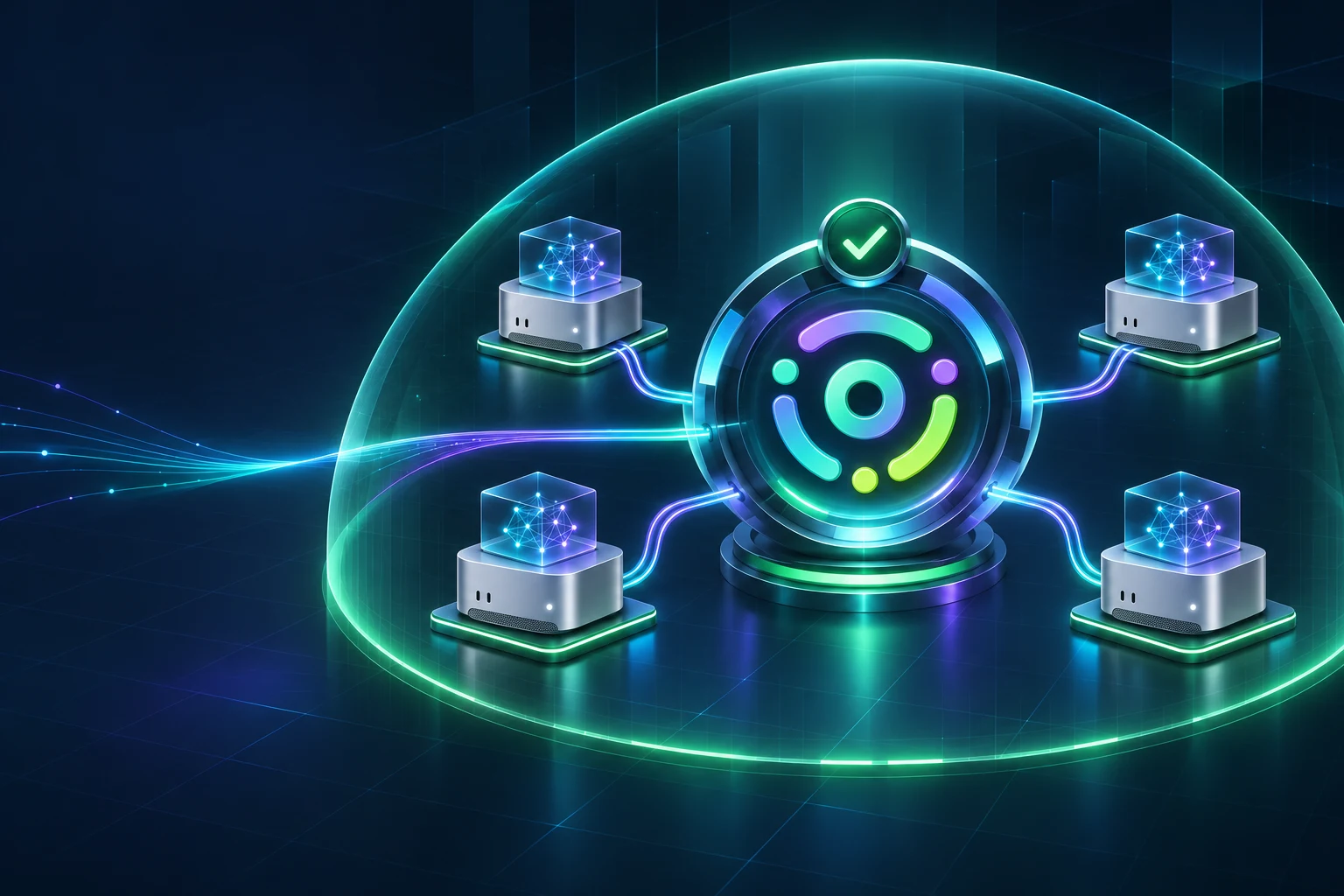
Most AI evaluations start by comparing models. In organizations with stricter procurement and data-handling rules, the shortlist may already be constrained before anyone runs a benchmark:
- confidential information cannot be sent to a public cloud model
- models developed in China are not approved for the work
Those restrictions still leave several good options. Google’s Gemma, OpenAI’s gpt-oss, France’s Mistral models, Meta’s open models, and NVIDIA’s Nemotron family are all developed outside China and available as open weights.
Turning one of those models into a usable internal service involves more than the model itself. Security and procurement need to approve the exact checkpoint. The technical team needs to test it against real work. IT needs to run it on controlled hardware and give approved applications a reliable way to reach it. Msty Nexus connects those parts and lets organizations combine multiple Mac Studio systems into a cluster to run models that one machine cannot handle by itself.
Start With The Two Boundaries
Model origin and processing location answer different questions.
An American or European model served through an external API still processes information outside the organization. A Chinese-developed model running on a machine in the server room still has a Chinese developer. Moving a model does not change its provenance, and approving its developer does not approve every place it can run.
For every candidate, keep three decisions separate:
- Is the model eligible? Review the developer, exact checkpoint, lineage, license, procurement restrictions, and internal policy.
- Is the environment eligible? A public chatbot, enterprise API, private cloud, internal server, and disconnected network have different data paths.
- Is the workload eligible? Public content, source code, legal discovery, customer records, and engineering documents may require different treatment.
Recent US federal actions covering DeepSeek products show why the distinction matters. The published DHS order extends beyond a public DeepSeek service to covered third-party products and services developed using DeepSeek implementations. Local hosting or an intermediary provider does not automatically make the underlying model eligible. The exact scope still depends on the order, agency, system, contract, and available exceptions. (Federal Register, Congressional Research Service)
None of this says that Chinese models are less capable. Many are strong competitors. They may simply be ineligible under the policy that applies to a particular organization or contract.
Build A Shortlist You Can Actually Deploy
With those boundaries written down, the team can evaluate models against the work they actually need to perform. A leaderboard cannot tell you whether a checkpoint fits the approved hardware, meets the license requirement, or handles an internal workflow reliably.
| Starting point | Why evaluate it | What to prove |
|---|---|---|
| Gemma 4 31B / 26B A4B | A compact multimodal assistant from Google under Apache 2.0 | Quality and concurrency on one Mac Studio at the selected quantization and context |
| gpt-oss-120b / 20b | OpenAI reasoning and tool-use models under Apache 2.0 | Runtime compatibility, chat format, memory use, and reliable tool calling |
| Mistral Small 4 | A French generalist for reasoning, coding, and image input under Apache 2.0 | Whether its 119B total parameters fit the latency and capacity target |
| Mistral Large 4 | A much larger European option for demanding coding and agent work | Whether the capability gain justifies a distributed deployment and its separate license |
| Muse Spark Open | A Meta-developed large-model candidate for coding and agent workflows | Exact checkpoint license, MLX or serving-runtime support, and memory requirements |
| Nemotron 3 Super / Ultra | NVIDIA reasoning and agent models at two very different capacity tiers | Support for the exact architecture and low-precision format on the intended hardware |
For an initial evaluation, Gemma 4, gpt-oss, and Mistral Small 4 cover a useful range of size and capability. Move to a larger model only when testing shows a clear quality or capability gap.
Approval should also be more specific than “Mistral is allowed” or “Gemma is allowed.” The deployable record should identify:
- the original developer and model family
- the exact checkpoint and revision
- the source repository and file hashes
- the license and approved use
- any fine-tune, merge, or distillation lineage
- the quantization and runtime
- permitted workloads and data classes
- the required network boundary
- the owner and next review date
That prevents a model family approval from becoming permission to install any similarly named community conversion.
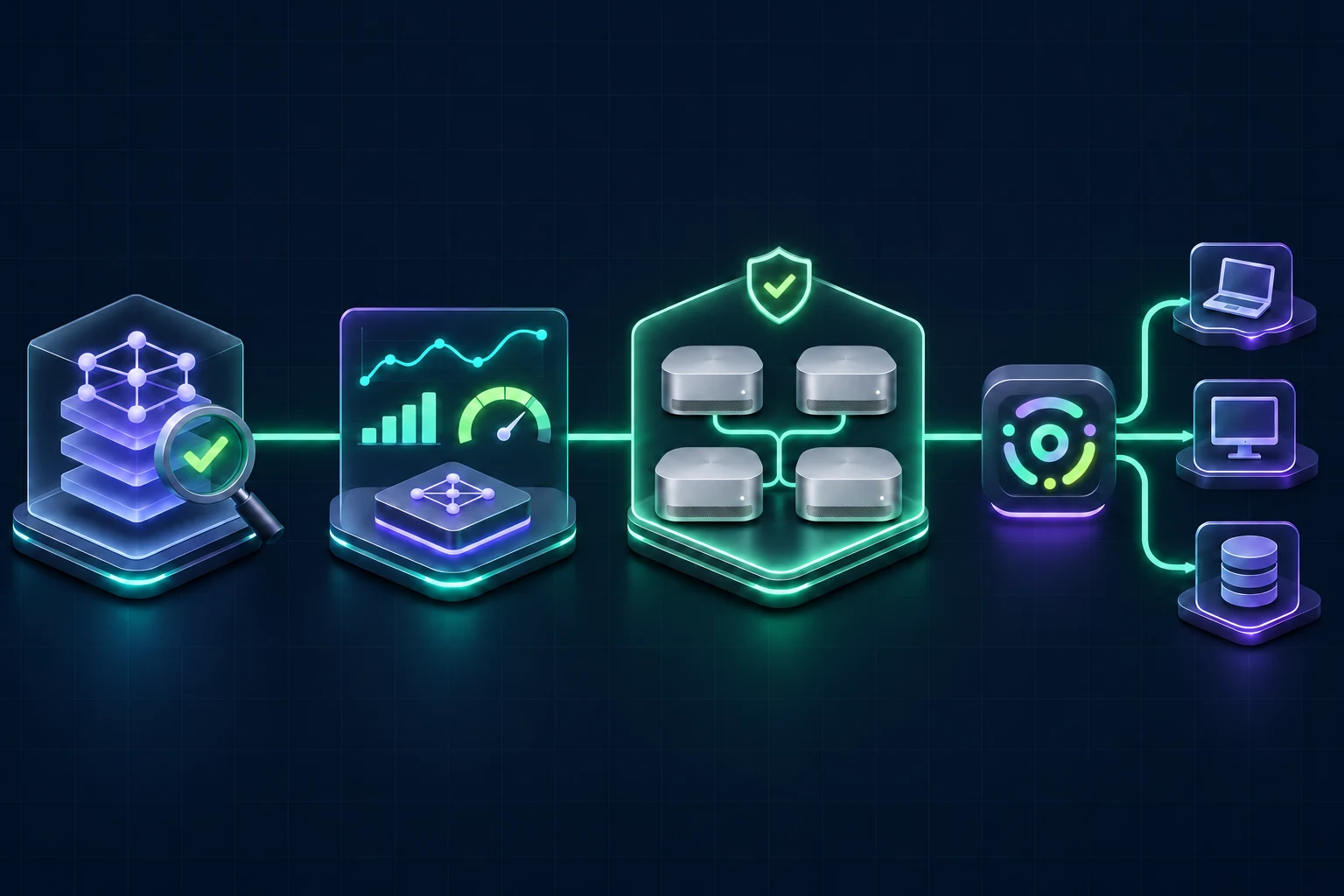
Begin With One Workload On One Mac Studio
Choose a first workload with a clear owner and an answer that can be accepted or rejected. Searching internal procedures, summarizing approved documents, assisting developers with an internal repository, and extracting structured information from files are all practical candidates.
Take the exact checkpoint and quantization you intend to deploy and run representative tasks on it. Measure:
- accepted results and required human correction
- time to first token and total completion time
- memory use at the intended context length
- concurrent-user capacity
- tool-call and structured-output reliability
- cost per successful task
A Mac Studio is a practical test host for this work. Apple’s current range combines a compact form factor with large unified-memory configurations, high memory bandwidth, Thunderbolt 5, and 10Gb Ethernet. The upper M5 Ultra configurations can reach 512 GB of unified memory, enough to evaluate substantial open-weight models without starting with a rack of datacenter GPUs. (Apple Mac Studio specifications)
At four-bit precision, the weights alone require roughly half a byte per parameter. That is about 15.5 GB for a 31B model, 60 GB for a 120B model, and 500 GB for a one-trillion-parameter model. Those are lower-bound weight calculations, not recommended machine sizes. The operating system, runtime, model buffers, unquantized tensors, and KV cache all need memory too.
Hardware planning should follow the workload test. The useful result is evidence that the approved model meets the team’s quality, speed, and concurrency requirements, along with a realistic memory measurement for the chosen context length.
Put Nexus Between The Model And The Organization
A successful test on one Mac Studio raises an operational question: how will other people use it without maintaining their own model servers?
Nexus runs as the installed gateway between the Mac Studio and approved applications. The runtime and model can be managed on the shared machine, tested at the gateway, loaded when needed, and exposed through one OpenAI-compatible endpoint.
Employees do not need to:
- download their own copy of the model
- choose a quantization
- configure a local inference engine
- keep a powerful workstation under every desk
- receive broad infrastructure or provider credentials
Approved applications connect to Nexus, and Nexus connects them to the model on the shared Mac Studio. The model remains an IT-managed service rather than a collection of installations maintained by individual employees.
One Gateway, Scoped Access
Nexus issues separate client tokens for applications and services. Each token can be identified, scoped, rotated, and revoked independently.
An internal coding assistant can receive access to the approved coding model. A document workflow can receive access to the model and tools it needs. Removing one application does not require changing every other connection.
The model remains centrally managed while access stays narrow.
Keep The Entire Route Private
Smart Routes give applications one stable model name while Nexus chooses between configured destinations behind it.
For a workflow that cannot use external inference, every lane and fallback can remain on approved local infrastructure. Data Protection can block sensitive requests, clean them, or direct them to a designated private route.
A route is only private if every possible destination is private. An unapproved cloud fallback breaks the boundary even when the primary model runs locally. The classifier, fallback, remote connection path, and tools all need to satisfy the same policy.
Nexus provides the control point. Network rules provide the outer boundary.
When One Mac Studio Is Not Enough
Even a 512 GB Mac Studio has a memory limit. A larger checkpoint may exceed it, and a busy shared service may need more capacity than one machine can deliver. Neither case automatically requires a move back to public cloud inference.
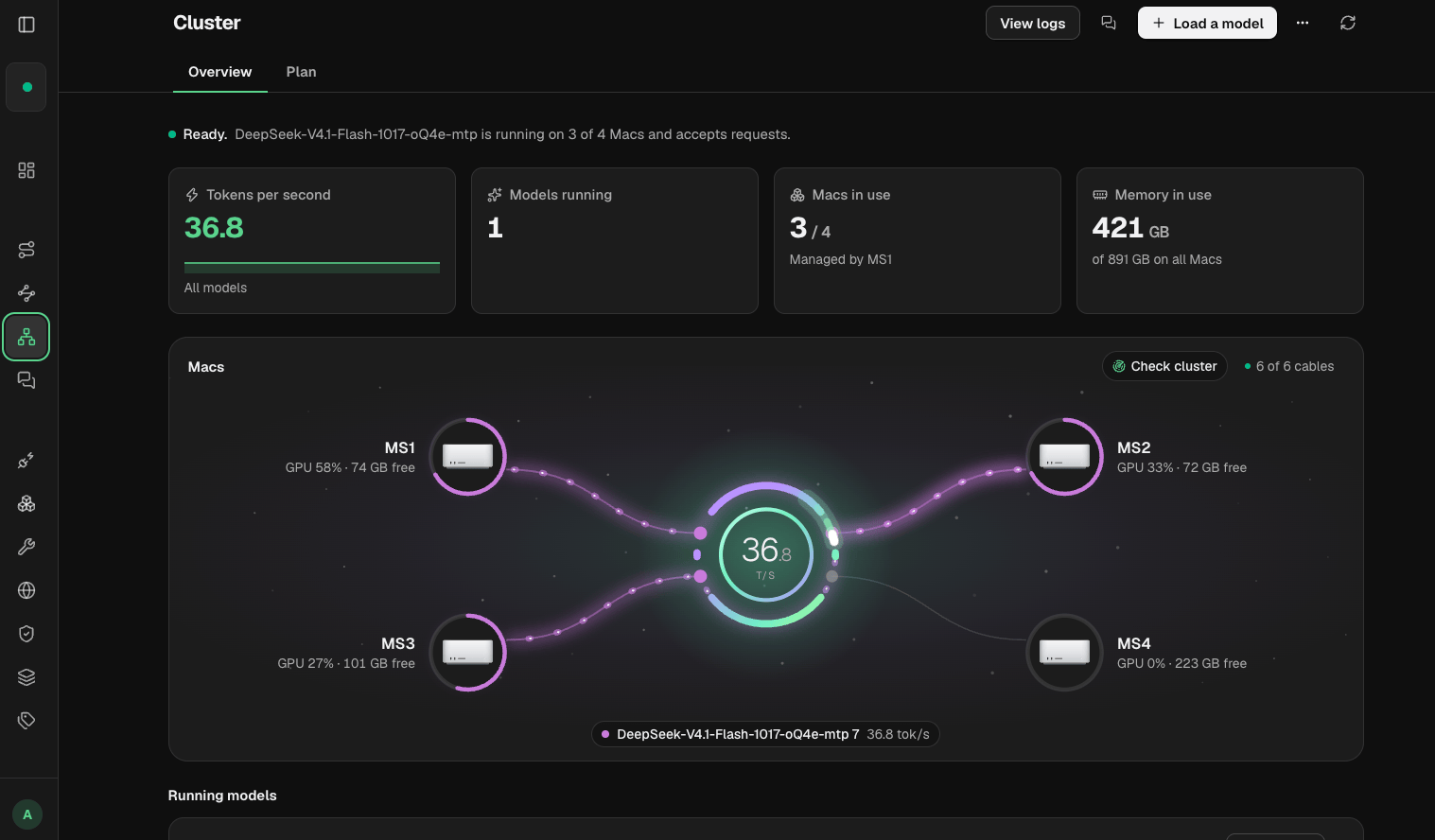
Msty Nexus Cluster combines Apple silicon Macs for distributed MLX inference. Multiple Mac Studio systems connect over a Thunderbolt fabric with RDMA enabled, and Nexus coordinates them as one serving target.
Nexus handles the formation through a guided sequence:
- enroll the Mac Studio systems in the Nexus Fleet
- connect them in the planned Thunderbolt topology
- let Nexus discover the fabric and verify RDMA readiness
- select the approved MLX model and exact revision
- run preflight checks for connectivity, software versions, memory, and model compatibility
- provision the runtime and prepare the model across the nodes
- launch the formation and expose it through one Nexus gateway target
Pipeline Mode Lets The Model Span The Macs
For an oversized model, Nexus uses pipeline parallelism to assign different parts of the model to different Mac Studio systems. Each Mac owns a portion of the layers, and the request moves through the ranks in sequence.
Pipeline mode uses the cluster’s combined memory to carry a model that cannot fit comfortably on one Mac. Tensor parallelism addresses a different bottleneck: every Mac keeps a full copy of the model and shares the computation for each layer.
Choose the mode based on what needs to scale:
- Pipeline parallelism: divide one oversized model across the cluster
- Tensor parallelism: coordinate compute when the full model fits on every Mac
- Smart Balancer: send separate requests to independent machines that can each run the model
Cluster is about one distributed model execution. Smart Balancer is about serving more independent requests.
What A Large-Model Deployment Can Look Like
Mistral Large 4 offers a useful example of why a cluster matters.
The model has one trillion total parameters. A four-bit weight-only estimate is already about 500 GB before runtime overhead and context memory. A community text-only four-bit MLX conversion is listed at approximately 590 GB, and its maintainer reports that it does not fit on one 512 GB Mac. A short test instead used two Macs and reached roughly 300 GB of peak memory on each. (MLX conversion notes)
Those figures are a feasibility reference, not a performance promise. The exact checkpoint, Nexus version, runtime, context, modality, and concurrent-user target still need testing.
Two 512 GB Mac Studio systems provide 1,024 GB of installed unified memory; four provide 2,048 GB. Nexus manages the connected machines as one formation and presents the distributed model through the existing gateway. Applications can keep using the same endpoint while the infrastructure behind it grows from one Mac Studio to several.
Governance Continues After Launch
The approval record needs a review date. Checkpoints, licenses, runtimes, policies, and workloads all change after launch.
Nexus keeps the operating picture visible:
- which local models and runtimes are available
- which machines or clusters are serving them
- which application or connection key is making requests
- which route handled the work and whether a fallback was used
- how much local and online capacity is being consumed
- whether machines still match team policy
- who changed a configuration and when
These records show whether the deployed model still matches the approved configuration. They also inform the next capacity decision. A lightly used Mac Studio does not need a second node. A smaller model that completes the workload successfully does not need to be replaced by a trillion-parameter model. Expansion should follow measured demand or a demonstrated capability gap.
Local Inference Is Part Of The Boundary
Running the model on Mac Studio infrastructure controls the inference location. It does not automatically make the complete system disconnected.
Remote-access relays, online tools, web search, telemetry, update services, and cloud fallbacks can still create external paths. Nexus documents that its hosted remote-access option passes requests and responses through an Msty-hosted relay. If that relay is outside the approved data path, use private network access or a trusted VPN instead. (Nexus security documentation)
Different policies lead to different architectures:
- one organization may permit a contracted enterprise cloud
- another may require private inference on an internal network
- a disconnected environment may require the model, tools, updates, and supporting services to remain offline
Local inference tells you where the model ran. It does not describe the complete data path.
From First Test To Production
Start with one useful task and keep each deployment decision explicit:
- document the model-origin and data-location restrictions
- approve an exact open-weight checkpoint, license, quantization, and runtime
- test it against a bounded workload on one Mac Studio
- install and expose it through Msty Nexus
- issue scoped access to approved applications
- lock restricted work to approved local routes and fallbacks
- measure quality, latency, concurrency, and utilization
- add Mac Studio systems to a Nexus Cluster when model size requires pooled memory
- use Smart Balancer when the need is more independent throughput
- review usage, policy, and configuration changes over time
For organizations that cannot use Chinese-developed models or public cloud inference, this is a workable route to production. Non-Chinese open weights provide the model choice. Mac Studio systems provide private capacity from one machine to a multi-node cluster. Msty Nexus makes that capacity available through scoped access and approved routes, with the usage and configuration visible to the team responsible for it.
Download Msty Nexus to begin with one machine, or talk with us about a governed Mac Studio cluster for private AI.